
uCon:
Embedded System Console
Latest update: 06/13/2025
Download here (crc/md5: 96cd0bdf/cb34d9e391681c2edc043535334beda9)
Latest update: 06/13/2025
Download here (crc/md5: 96cd0bdf/cb34d9e391681c2edc043535334beda9)
uCon:
At
first glance, uCon is a terminal emulator (i.e. an alternative to hypterterminal). Dig a little deeper, and a
lot of other handy "stuff" shows up: scripting, function keys/buttons, timestamping, logging, telnet/plink/comport backend options, network servers, network access of com port, etc.
uCon was originally written to be a
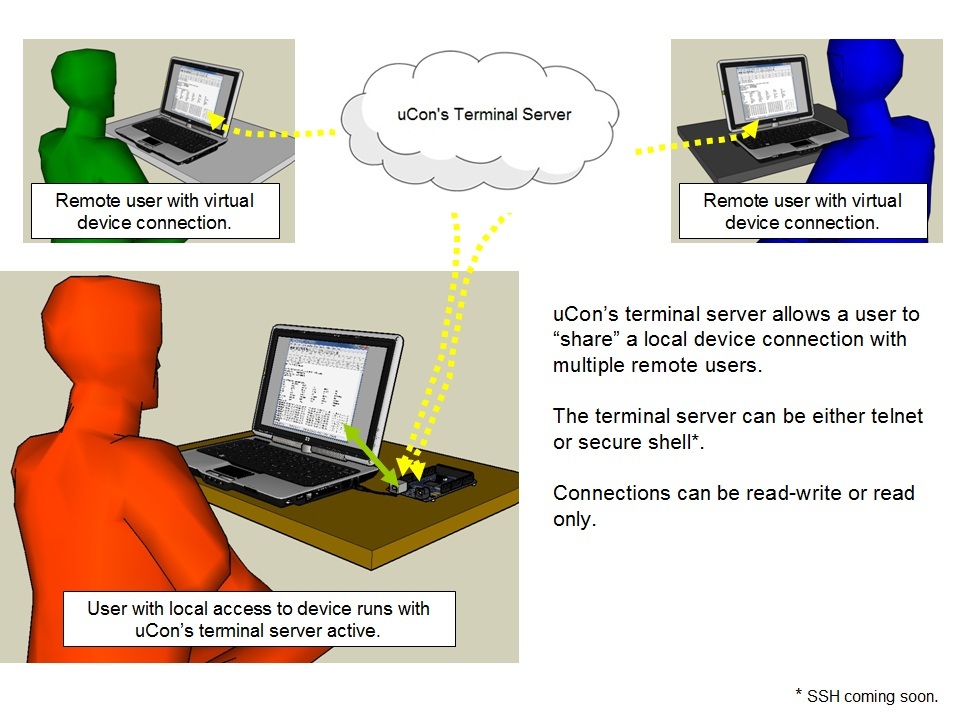
"terminal server" superset. The goal was to provide terminal
emulator-ish capabilities for the user local to the PC (and the device
connected to the PC's COM port), but also allow remote users to connect
through the PC's network port using Telnet. In
addition to basic remote access, the requirement was to support the
ability to have "multi-user-access". In other words, while
someone was
locally accessing the COM port through uCon's GUI,
additional remote users could simultaneously access the same port using
Telnet and uCon's terminal server. This, as it turns out, was the
beginning. uCon has been around since 2001 and is still an active
development project. Features are regularly being added, so
if you have an idea for a new feature (big or small), don't hesitate to
contact the author.
As is
somewhat implied by the above diagram, uCon provides many other
facilities that are applicable, but certainly not limited, to
typical embedded systems development. Refer to uCon's web-based manpages for complete details.
Multiple Back Ends:
Initially
uCon was developed to support only a COM port back end. Since then, telnet and PuTTY Link (plink) have been
added to the list (plink provides ssh).
Logging:
There are two types
of logging in uCon: standard and long-term. Standard logging
simply takes a log file name and copies all interaction with the target
to that file. Long-term logging assumes that the terminal session
will potentially be up for days or even weeks and the amount of data
logged will be significant enough that it will need to be managed.
In this mode, each day, uCon automatically creates a new log
file and checks to see if the total accumulation of log file data has
exceeded a user-defined maximum. If it has, it will delete
the oldest log file in the bunch so that it is essentially keeping a
circular queue of log files.
Time Stamping:
Each line of output
can be preceded by one of several different time-of-day strings.
This allows the user to keep track of line-by-line timing if
needed; yet does not require that the target itself generate the time
stamps.
Programmable Function Keys & Clickable Buttons:
Function
keys are programmable and can be activated by either a keypress or a
mouse button click. An additional set of 16 clickable buttons are
also available for ease of repetitive data entry. The buttons do
not have any keyboard mapping; they are accessible only by the mouse.
Data Transfer To/From the Target:
uCon
supports XMODEM and TFTP client as a means of data transfer to and from
the target.
Servers:
To support typical
needs of an embedded system development environment, uCon has the
following servers built in: TFTP, FTP, DHCP/BOOTP, SYSLOG.
Each of these servers are configurable and are useful for
transactions with a single client (i.e. one at a time). These
servers are not meant for use by a large number of simultaneous
transactions with mutliple clients; rather, they provide the basic
services needed to interface with a single embedded target.
Scripting:
The scripting
facility within uCon is fairly extensive. It includes the ability
to interact with both the target and the user and supports conditional
branching. Interaction with the target is through whatever
back end is active (COM port, Telnet, SSH) and interaction with the user
is through familiar Windows dialog boxes. There are about 15
different scripting commands that allow the user to build reasonably
sophisticated logical control within the script. Click
here
for more information on uCon's scripting.
MicroMonitor Specific Capabilities:
uCon also has
knowledge of MicroMonitor (uMon). It can backup and/or restore a
set of TFS files, edit an ASCII file on the target in TFS, and includes
the MONCMD and NEWMON facilities in the scripting command set.
Look and Feel:
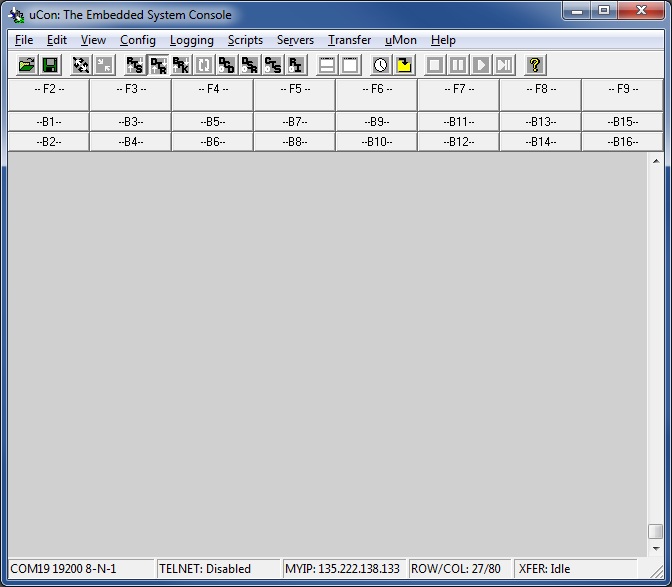
uCon looks like a
terminal emulator. It just has a lot of other stuff going on
behind the scenes.
Wanna try it?
Click here(action=purge)
or here to download a self-extracting executable. The installation is very basic. If the
defaults are used, it simply creates a 'C:/program files/ucon' (or equivalent, depending on your system) directory
on your machine and installs the necessary files to that directory.
It also adds an item to your programs list, asks if you
want a desktop shortcut and includes an uninstaller accessible
through the program list.